P
Praveen

Learn to create smarter products using AI, 3D design and prototyping.

Why this course
The Certificate in AI-Powered Smart Product Design is designed for learners who want to bring together creativity, technology and AI to build smarter products. As AI becomes an important part of modern design workflows, this course helps you understand how AI can support ideation, concept development, visualisation, 3D modelling and digital prototyping. You will gain hands-on exposure to tools such as Vizcom AI and Fusion 360, helping you turn ideas and sketches into detailed, realistic product concepts. The course also introduces you to parametric modelling and rendering, giving you practical skills that can be applied to real-world product development. Whether you are starting your design career or looking to upgrade your existing skills, this program can help you build a future-ready portfolio and prepare for opportunities in automotive, manufacturing, consumer electronics, robotics,

Take your creativity beyond traditional design. Build practical skills in AI-powered ideation, 3D modelling, rendering and prototyping, and explore exciting career opportunities across product design, automotive, manufacturing and more.
3–5 LPA
Starting Salary
10+
Career Roles
8+
Hiring Industries
Roles our graduates step into
Career opportunities
Typical starting CTC range
₹3–5 LPA
Roles after completing
Industries that hire
Why industry demand is growing
The demand for AI-powered product designers is growing as companies look for faster, smarter ways to turn ideas into market-ready products. AI helps designers create concepts, explore multiple design options, build prototypes and improve products in less time. With tools like Vizcom AI and Fusion 360 becoming part of modern design workflows, professionals who combine design skills with AI are increasingly valuable across automotive, manufacturing, electronics and other industries.
A typical career path
0–1 Year
CAD Designer
0–1 Year
Product Design Engineer
3–5 Years
Product Development Engineer
What you'll learn
Each module builds on the last — by Module 5 you're simulating the motion of a working mechanism, not completing isolated drawing exercises.
Learn how to approach product design with a clear, user-focused mindset. Understand the design process, identify problems, and turn ideas into practical product concepts.
Topics covered
Practical outcome
Create user-focused product concepts by applying design thinking and structured ideation techniques.
Learn fundamental sketching and illustration techniques, including line, shape, form, proportion, perspective, shading, composition, texture, and visual storytelling through guided exercises and creative practice.
Topics covered
Practical outcome
Create confident sketches and illustrations using proportion, perspective, shading, texture, and composition, while developing a personal visual style
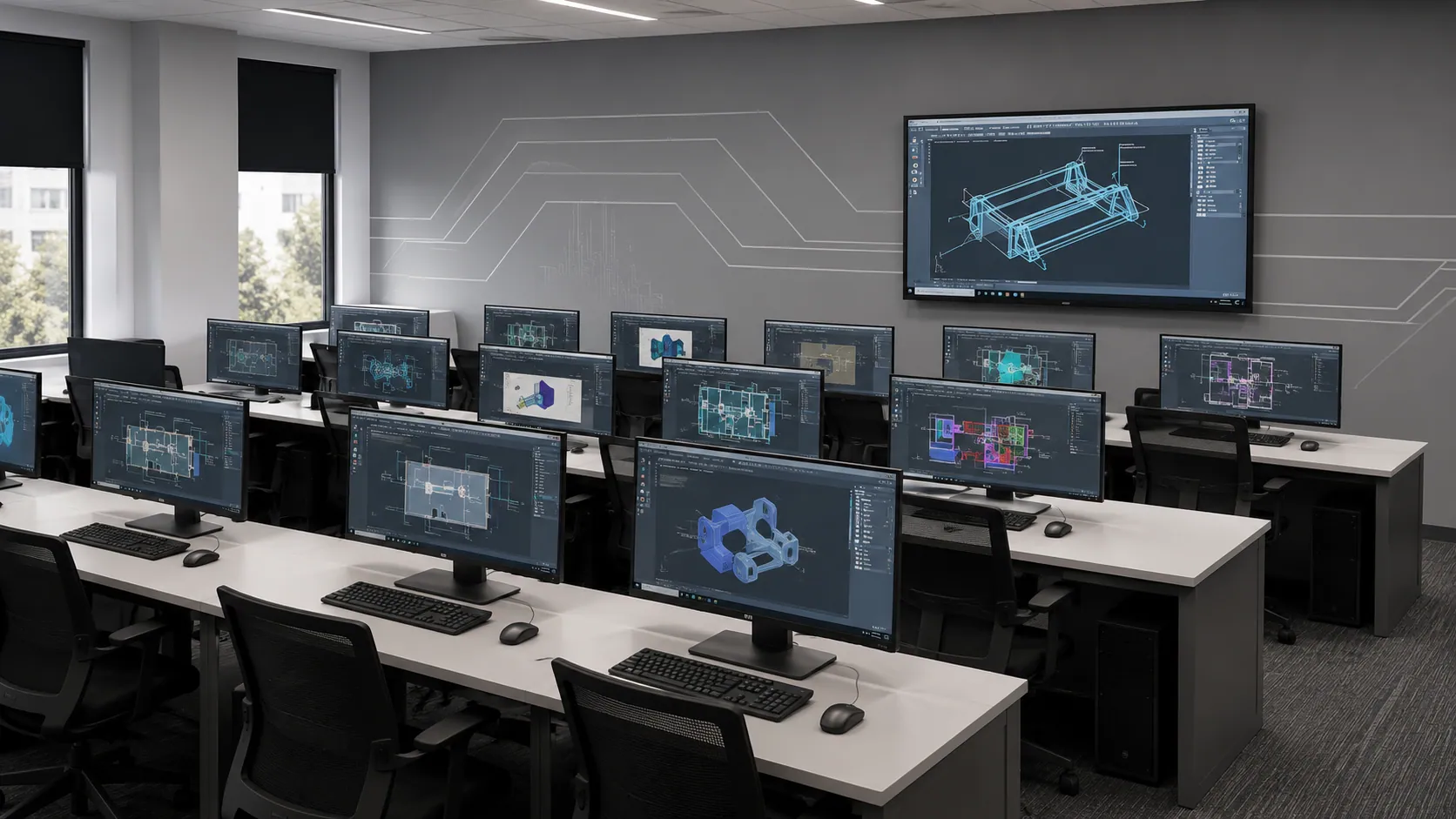
Learn digital rendering with Vizcom AI, exploring AI-assisted sketch-to-render workflows, material visualization, lighting, color, composition, and rapid concept development for compelling product & design presentations.
Topics covered
Practical outcome
Create polished AI-assisted renderings from sketches, explore design variations quickly, and present concepts with realistic materials.
Learn AI-to-CAD workflows that transform sketches, images, and concepts into editable CAD models. Explore AI-assisted modeling, geometry refinement, parametric design, and efficient workflows.
Topics covered
Practical outcome
Convert concepts into editable CAD models, refine AI-generated geometry, apply dimensions and parameters, and prepare designs for prototyping.
Course at a glance
Institute credentials
ISO 9001:2015 certified quality education
Lifetime alumni support — doubts cleared even after course completion
Placement assistance
Build industry-ready skills in AI-powered product design and explore career opportunities in automotive, manufacturing, electronics, robotics and more. Strengthen your portfolio with practical design skills that can help you stand out to employers.
₹3–5 LPA
Starting CTC
2+
AI & Design Tools
5+
Core Design Skills


Student success stories
Learning experience
Instructor-led sessions
Classroom and live online with industry practitioners
Hands-on lab access
Licensed industry software, full lab hours included
Real-world projects
Assignments modelled on actual industry briefs
Portfolio development
Build a job-ready portfolio with placement team support
Certification & interview prep
Mock tests, cert prep, and readiness workshops


Frequently asked questions
Still have questions?
We're here to help you.
Yes. The course is designed around practical learning, giving you exposure to AI-assisted design processes and relevant digital tools. This helps you understand how these technologies can be applied to real-world product development rather than learning AI only as theory.
Yes. If you’re studying or working in mechanical engineering, product design, manufacturing, or a related field, learning AI-enabled design workflows can add a valuable skill set alongside your existing engineering and CAD knowledge.
AI can help designers explore multiple concepts, automate repetitive work, identify design possibilities, and speed up parts of the development process. The goal isn’t to replace your design thinking, but to help you work smarter and spend more time on creative and engineering decisions.
You’ll explore how AI can support different stages of product design — from concept development and design exploration to optimisation and workflow automation. You’ll also gain practical exposure to CAD and AI-assisted design workflows.
Not at all. You don’t need to be an AI expert or programmer. The course focuses on practical applications of AI in product design, so you learn how to use AI-powered tools without needing deep coding knowledge.
The course is suitable for engineering and diploma students, graduates, aspiring designers, and working professionals who want to build skills in modern product design. Whether you’re starting out or looking to upgrade your existing CAD skills, you can explore the course.
It’s a practical program that combines product design, CAD, and AI to help you understand how modern designers use intelligent tools to create, improve, and optimise products. You’ll learn how AI can become part of your everyday design workflow.
Talk to a counsellor, download the full curriculum, or book a free demo class — we'll help you take the right first step.
Free. No obligation. Available Mon–Sat, 10 AM–6 PM.
Certificate in AI-Powered Smart Product Design